
How to Use LocalStorage in JavaScript
 remove_red_eye
238 Views
remove_red_eye
238 Views
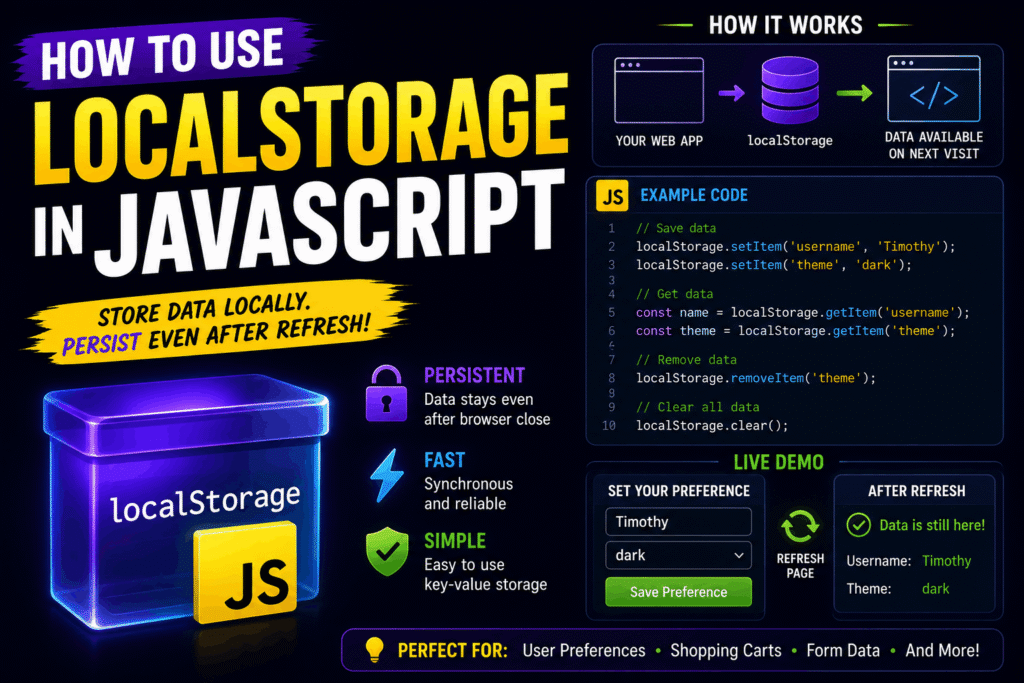
As a web developer, you often need to save user data, preferences, or application states directly in the browser. LocalStorage is one of the easiest and most powerful tools built into web browsers to achieve this.
What is LocalStorage?
LocalStorage is a web storage API that allows you to store key-value pairs locally in a user’s browser.
Unlike SessionStorage, data stored in localStorage does not expire when the browser tab is closed. It persists until it is explicitly cleared by the user or your code. Key features include:
- Capacity: Around 5MB to 10MB of data (depending on the browser).
- Scope: Data is bound to the origin (protocol, domain, and port).
- Format: It only stores data as strings.
Storing Data with setItem()
To save data, use the setItem() method. This method takes two arguments: a key (which acts as the identifier) and a value.
// Save a username
localStorage.setItem(‘username’, ‘Alex’);
// Save a UI preference
localStorage.setItem(‘theme’, ‘dark’);
Reading Data with getItem()
To retrieve data you stored previously, use the getItem() method and pass the key of the item you want to access.
// Retrieve the username
const user = localStorage.getItem(‘username’);
console.log(user); // Output: Alex
If the key does not exist, the method returns null.
Removing Data with removeItem() and clear()
When you no longer need specific data, you can delete a single item using removeItem(). To wipe out all storage for your domain, use clear().
// Delete the theme setting
localStorage.removeItem(‘theme’);
// Wipe all stored keys
localStorage.clear();
Storing Objects and Arrays
Because LocalStorage only accepts strings, you cannot store JavaScript objects or arrays directly. If you try, they will be converted to the string “[object Object]”.
To work around this, convert your objects into JSON strings using JSON.stringify() when saving, and convert them back using JSON.parse() when retrieving.
const userProfile = {
name: ‘Alex’,
role: ‘Developer’,
active: true
};
// Convert object to string and save
localStorage.setItem(‘profile’, JSON.stringify(userProfile));
// Retrieve string and convert back to object
const savedProfile = JSON.parse(localStorage.getItem(‘profile’));
console.log(savedProfile.name); // Output: Alex
Best Practices and Security
While LocalStorage is highly convenient, keep these limitations in mind:
- Security: Do not store sensitive information like passwords, credit card numbers, or JWT tokens. LocalStorage is vulnerable to Cross-Site Scripting (XSS) attacks.
- Synchronous Behavior: LocalStorage runs on the main browser thread. Avoid writing huge datasets continuously, as it can slow down your UI.
Watch the full walkthrough here:
Advertisement
Recent Posts
- Mastering Time: A Practical Guide to Building a Digital Clock with JavaScript
- How to Easily Add Live Crypto Prices to Your Website
- CSS grid vs flexbox solved: how to choose the right layout system
- How to create sticky headers and footers that work on all screens
- How to build responsive layouts using flexbox step by step