
How to convert the News API Date format to DD MM YY
 remove_red_eye
180 Views
remove_red_eye
180 Views
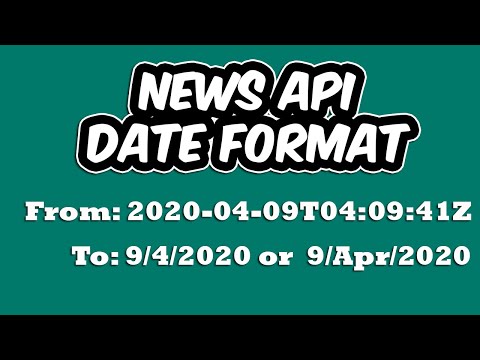
Working with APIs can sometimes feel like solving a puzzle, especially when the data you receive isn’t in the format you need. One common challenge developers face often highlighted by our viewers is dealing with the date format provided by the News API. It’s functional, but it isn’t always user-friendly.
In this post, we’re going to walk through how to take that raw API date string and transform it into a clean, readable DD/MM/YY format using JavaScript.
The Problem
When you call the News API, the publishedAt field usually returns a timestamp that looks something like a raw ISO string. While this is great for machines, it’s not exactly how your users want to read dates on your website.
The Solution: Step-by-Step
To convert this format, we need to leverage JavaScript’s built in Date object to extract specific components of the date.
1. Create a Date Object
First, we take the string provided by the API and pass it into a new Date object. We then convert it into a universal timestamp using the getTime() method.
let timestamp = new Date(newsApiDate).getTime();2. Extract Day, Month, and Year
Once we have the timestamp, we can create a new date object to extract the individual parts:
- The Day: Use the getDate() method.
- The Month: Use the getMonth() method. Note: JavaScript months are zero-indexed (January is 0, February is 1, etc.). To get the “human-readable” month, you must add 1 .
- The Year: Use the getFullYear() method .
3. Format Your Date
With your variables ready, you can use template literals to construct your desired format easily:
let newDate = `${day}/${month}/${year}`;Pro Tip: Using toLocaleDateString
If you want to avoid manual concatenation or need more control over text-based months (like “April” instead of “4”), you can use the toLocaleDateString() method. This allows you to pass options to define whether you want a “short” or “long” month name.
Final Integration
When you are working within a loop (e.g., when rendering a list of news articles), make sure you perform this logic inside the loop for each article. Replace the raw data in your DOM with your newly formatted newDate variable.
By following these simple steps, you can turn complex API timestamps into clean, professional dates that your users will actually appreciate.
Watch the full walkthrough here:
Advertisement
Recent Posts
- Mastering Time: A Practical Guide to Building a Digital Clock with JavaScript
- How to Easily Add Live Crypto Prices to Your Website
- CSS grid vs flexbox solved: how to choose the right layout system
- How to create sticky headers and footers that work on all screens
- How to build responsive layouts using flexbox step by step