
How to fix conflicts and override styles
 remove_red_eye
116 Views
remove_red_eye
116 Views
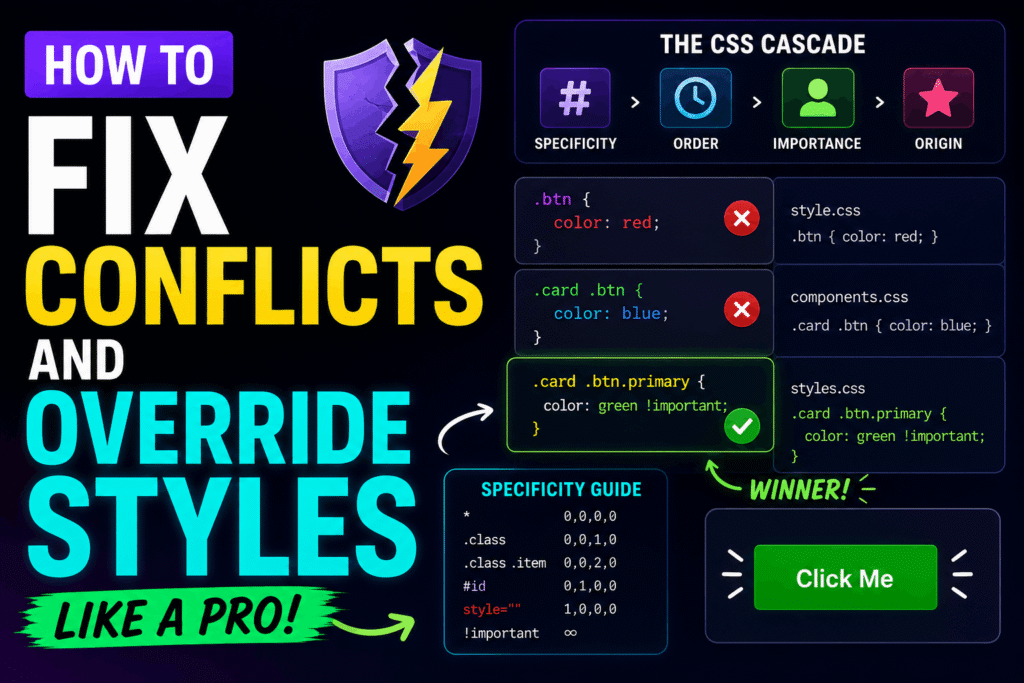
CSS conflicts occur when multiple CSS rules target the same HTML element and try to apply different values to the same property. To resolve these conflicts, browsers use a set of rules known as the Cascade, Specificity, and Inheritance.
This tutorial will teach you how to analyze, calculate, and cleanly override styles without breaking your codebase.
Understanding Specificity
Specificity is a weight assigned to a given CSS declaration. The browser uses this weight to determine which style rule takes precedence.
Specificity is calculated using four categories (represented as a four-part score: 0, 0, 0, 0):
1. Inline Styles (Score: 1, 0, 0, 0) – Applied directly to the HTML element.
2. IDs (Score: 0, 1, 0, 0) – Selectors prefixed with a hash (e.g., #header).
3. Classes, Attributes, and Pseudo-classes (Score: 0, 0, 1, 0) – Selectors like .button, [type=”text”], or :hover.
4. Elements and Pseudo-elements (Score: 0, 0, 0, 1) – Selectors like div, p, or ::before.
Here is an example where a class selector overrides an element selector due to higher specificity:
/* Specificity: 0, 0, 0, 1 */
p {
color: blue;
}
/* Specificity: 0, 0, 1, 0 (Wins!) */
.highlight-text {
color: red;
}
Overriding Styles with the Cascade
When two rules have the exact same specificity score, the browser falls back to the Cascade. The Cascade dictates that the rule declared last (lowest down in the stylesheet) overrides any previous rules.
/* Both have specificity 0, 0, 1, 0 */
.btn {
background-color: blue;
}
/* This rule wins because it appears later in the document */
.btn {
background-color: green;
}
Raising Specificity the Clean Way
If your styles are not applying because of a conflict, you can cleanly override them by increasing the specificity of your selector. Combine element, class, or parent selectors to create a stronger path.
/* Existing style in a third-party stylesheet */
.sidebar .widget {
padding: 10px;
}
/* Override it cleanly by adding a parent container selector */
aside.sidebar .widget {
padding: 20px;
}
The Last Resort: !important
The !important rule is a tool to force a style override. It bypasses normal specificity calculation. However, overusing `!important` makes debugging difficult because it breaks the natural flow of the cascade. Only use it as a last resort (e.g., utility classes).
/* Force override */
.utility-hidden {
display: none !important;
}
Modern Solution: Cascade Layers (@layer)
Modern CSS introduces Cascade Layers (@layer). Layers allow you to explicitly define which groups of styles take precedence, regardless of their specificity. This is the ultimate tool for preventing third-party library conflicts.
/* Establish layer order: custom styles will always override framework styles */
@layer framework, custom;
@layer framework {
/* High specificity rule in framework */
#main-nav .menu-item {
color: blue;
}
}
@layer custom {
/* Lower specificity rule in custom layer still wins */
.menu-item {
color: orange;
}
}
Using Cascade Layers ensures your custom styling remains clean, maintainable, and free from specificity wars.
Advertisement
Recent Posts
- Mastering Time: A Practical Guide to Building a Digital Clock with JavaScript
- How to Easily Add Live Crypto Prices to Your Website
- CSS grid vs flexbox solved: how to choose the right layout system
- How to create sticky headers and footers that work on all screens
- How to build responsive layouts using flexbox step by step