
Convert Numbers to Currency Format in JavaScript
 remove_red_eye
199 Views
remove_red_eye
199 Views
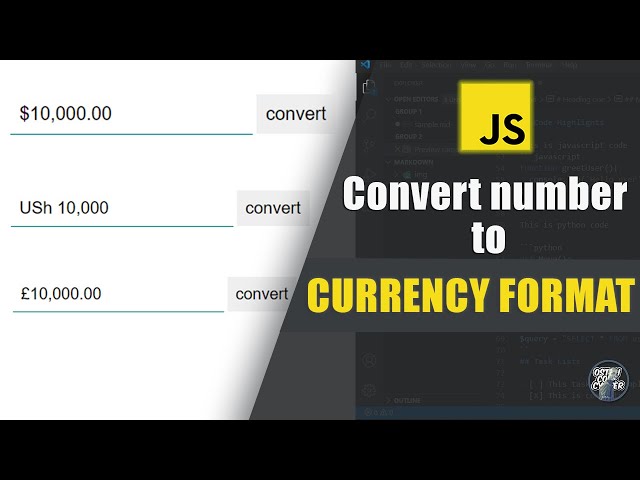
Formatting numbers as currency is essential for financial applications, e-commerce sites, and dashboards. JavaScript provides a built-in and reliable way to handle this using the `Intl.NumberFormat` API.
This guide shows a simple method to convert user input into a properly formatted currency value.
Tutorial
HTML Structure
<html lang=”en”>
<head>
<meta charset=”UTF-8″>
<meta name=”viewport” content=”width=device-width, initial-scale=1.0″>
<title>Number Formatting</title>
<link rel=”stylesheet” href=”style.css”>
</head>
<body>
<form id=”myForm”>
<input type=”text” id=”money” placeholder=”Enter amount” autocomplete=”off”>
<input type=”submit” value=”Convert”>
</form>
<script src=”main.js”></script>
</body>
</html>
CSS Styling
input {
padding: 10px;
border: 0;
outline: none;
font-size: 20px;
}
input[type=’text’] {
border-bottom: 0.5px solid teal;
}
JavaScript Code
let form = document.querySelector(‘#myForm’);
let inputField = document.querySelector(‘#money’);
form.addEventListener(‘submit’, (e) => {
e.preventDefault();
let amount = inputField.value;
if (isNaN(amount) || amount.trim() === “”) {
alert(“Please enter a valid number”);
return;
}
let formatted = new Intl.NumberFormat(“en-US”, {
style: “currency”,
currency: “USD”
}).format(amount);
inputField.value = formatted;
});
How It Works
- Captures user input from a form
- Prevents page reload on submission
- Uses `Intl.NumberFormat` to format the number
- Displays the formatted currency instantly
Example:
- Input: 1000
- Output: $1,000.00
Change Currency
You can easily adapt this for different regions:
new Intl.NumberFormat(“en-UG”, {
style: “currency”,
currency: “UGX”
}).format(amount);
Key Benefits
- Built-in browser support
- Handles localization automatically
- Clean and minimal code
- Improves user experience
Conclusion
Using `Intl.NumberFormat` is the most efficient way to format numbers as currency in JavaScript. It ensures accuracy, consistency, and better presentation with minimal effort.
Advertisement
Recent Posts
- Mastering Time: A Practical Guide to Building a Digital Clock with JavaScript
- How to Easily Add Live Crypto Prices to Your Website
- CSS grid vs flexbox solved: how to choose the right layout system
- How to create sticky headers and footers that work on all screens
- How to build responsive layouts using flexbox step by step