How to Withdraw Money From Pawns to PayPal
If you’re earning passive income with Pawns.app by sharing your extra internet bandwidth, the next big question is simple: how do you withdraw your money to PayPal?
In this guide, I’ll walk you through the exact steps to withdraw money from Pawns to PayPal, explain payout requirements, and share tips to avoid common withdrawal issues.
What Is Pawns.app?
Pawns.app is a passive income platform that allows users to earn money by securely sharing unused internet bandwidth. You can also earn through surveys, referrals, and other small tasks depending on your location.
Once your balance grows, Pawns lets you withdraw your earnings using several payout methods — PayPal being one of the most popular options.
Requirements to Withdraw Money From Pawns
Before withdrawing your earnings, make sure you meet the following requirements:
- You have reached the minimum withdrawal amount set by Pawns.app
- Your Pawns account is fully verified
- You have a valid PayPal account linked to your email
- Your account follows Pawns’ terms and conditions
Meeting these requirements helps ensure a smooth and fast payout.
How to Withdraw Money From Pawns to PayPal (Step-by-Step)
Follow these simple steps to cash out your Pawns earnings to PayPal:
Step 1: Log In to Your Pawns Account
Visit the official Pawns.app website or open the mobile app and sign in to your account.
Step 2: Go to the Withdrawal Section
Navigate to your dashboard and click on the Withdraw or Payout option.
Step 3: Select PayPal as Your Payment Method
From the list of available payout options, choose PayPal.
Step 4: Enter Your PayPal Email
Make sure the email you enter is exactly the same as the one linked to your PayPal account to avoid payment delays.
Step 5: Confirm the Withdrawal
Review the withdrawal details, including the amount, then confirm your request.
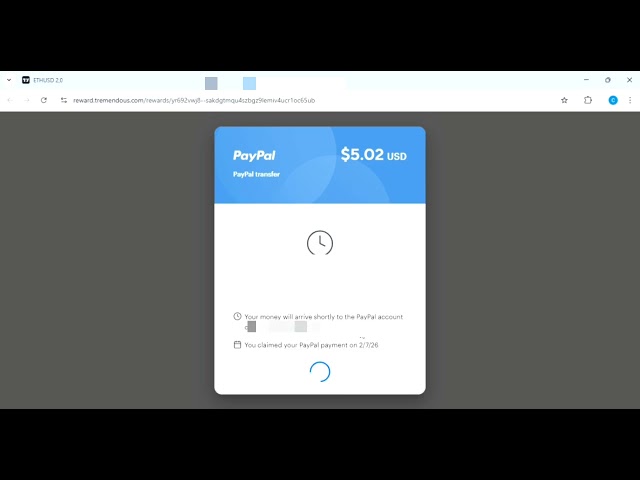
Withdraw Proof
How Long Does Pawns PayPal Withdrawal Take?
Pawns PayPal withdrawals are usually processed within 24 to 72 hours, depending on demand and account verification. In some cases, it may take slightly longer during high payout periods.
You’ll receive a confirmation once the payment has been sent to your PayPal account.
Common Pawns Withdrawal Problems (And How to Avoid Them)
Here are some common issues users face and how to fix them:
- Wrong PayPal email: Always double-check your email address
- Minimum balance not met: Ensure your earnings are above the withdrawal threshold
- Unverified account: Complete any required verification steps
- Policy violations: Avoid using VPNs or prohibited methods
Following Pawns’ rules will help you receive your payment without issues.
Tips to Get Paid Faster From Pawns
- Keep Pawns running consistently in the background
- Use a stable internet connection
- Enable notifications for payout updates
- Withdraw during non-peak hours if possible
Is Pawns.app Legit?
Yes, Pawns.app is a legitimate platform used by many people worldwide to earn small amounts of passive income. While it won’t replace a full-time job, it’s a convenient way to monetize unused bandwidth.
My Final Thoughts
Withdrawing money from Pawns to PayPal is simple once you understand the process. As long as you meet the requirements and follow the steps above, you should receive your earnings without trouble.
If you’re looking for an easy passive income method, Pawns.app combined with PayPal payouts makes earning and cashing out straightforward.
Happy earning!
account_box Author: KTim
date_range Date: 7th, February 2026
access_time Time: 5:28 pm
remove_red_eye Views: 18 Views