Get YouTube Video Thumbnail Using PHP
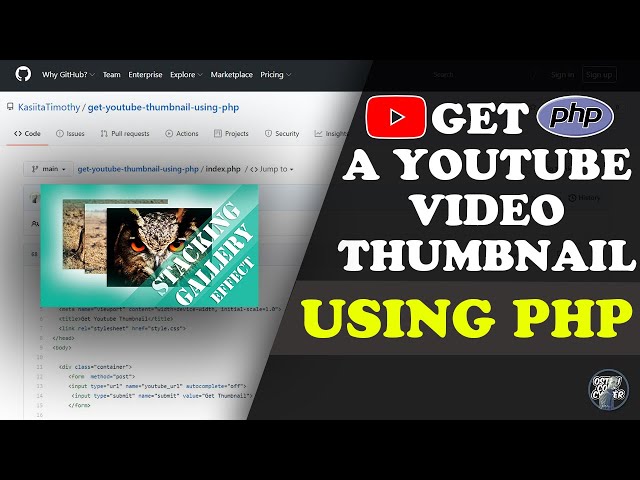
YouTube videos are often accompanied by captivating thumbnails that catch the viewer’s eye. These thumbnails are an essential part of the YouTube platform, helping users decide whether they want to watch a video or not. If you’re working on a PHP project and need to get the thumbnail of a YouTube video programmatically, you’re in the right place!
In this blog post, I’ll walk you through how to retrieve the thumbnail of any YouTube video using PHP.
If you’re not into reading a lot of text, no worries! You can watch the tutorial below for a quick, step-by-step walkthrough on how to get a YouTube video thumbnail using PHP.
What You Need
To get started, you’ll need the following:
- PHP: Ensure that you have a basic understanding of PHP.
- YouTube Video URL: You will need the URL of the YouTube video to fetch the thumbnail.
Step-by-Step Guide
1. Create an HTML Form for Input
The first step is to create a form where users can input the YouTube video URL. Here’s a simple HTML form to do that:
<html lang=”en”>
<head>
<meta charset=”UTF-8″>
<meta http-equiv=”X-UA-Compatible” content=”IE=edge”>
<meta name=”viewport” content=”width=device-width, initial-scale=1.0″>
<title>Get Youtube Thumbnail</title>
<link rel=”stylesheet” href=”style.css”>
</head>
<body>
<div class=”container”>
<h1>ENTER A VALID YOUTUBE URL</h1>
<p>Example of url: <b>https://www.youtube.com/watch?v=CqUJ7nLSLzs</b> </p>
<form method=”post”>
<input type=”url” name=”youtube_url” autocomplete=”off”>
<input type=”submit” name=”submit” value=”Get Thumbnail”>
</form>
<?php
if(isset($_POST[‘submit’])){
$video_url = $_POST[‘youtube_url’];
if(!empty($video_url)){
$params = parse_url($video_url);
if($params[‘host’] !== “www.youtube.com” && $params[‘host’] !== “youtube.com” ){
echo “<p class=’error’>Please enter a youtube link</p>”;
exit();
}
if($params[‘path’] !== “/watch” ){
echo “<p class=’error’>Invalid Video Path.</p>”;
exit();
}
if(!isset($params[‘query’])){
echo “<p class=’error’>The query part for the url is not set. Get a correct URL.</p>”;
exit();
}
parse_str($params[‘query’],$query);
if(isset($query[‘v’])){
$video_id = $query[‘v’];
?>
<div class=”urls”>
<h1>Image URLS</h1>
<p>https://img.youtube.com/vi/<?php echo $video_id; ?>/maxresdefault.jpg</p>
<p>https://img.youtube.com/vi/<?php echo $video_id; ?>/hqdefault.jpg</p>
</div>
<div id=”results”>
<div class=”grid”>
<h1>Maximum Resolution Version</h1>
<img src=”https://img.youtube.com/vi/<?php echo $video_id; ?>/maxresdefault.jpg”>
</div>
<div class=”grid”>
<h1>High Quality Version</h1>
<img src=”https://img.youtube.com/vi/<?php echo $video_id; ?>/hqdefault.jpg”>
</div>
</div>
<?php
}else{
echo “<p class=’error’>Invalid Video Id Query.</p>”;
exit();
}
}else{
echo “<p class=’error’>Please enter a url.</p>”;
exit();
}
}
?>
</div>

</body>
</html>
2. Explanation of the Code
HTML Form: The form allows users to enter a YouTube video URL. When the user submits the form, the PHP code is triggered to process the URL and extract the video ID.
PHP Script: The PHP script validates the input URL, extracts the video ID, and then generates the URLs for the video thumbnails:
maxresdefault.jpg (maximum resolution version)
hqdefault.jpg (high-quality version)
Error Handling: The script includes checks to ensure the URL is valid, the video path is correct, and the query contains the video ID.
3. Fetching the Thumbnail
To fetch the YouTube video thumbnail, all you need is the video ID, which can be found in the URL’s query parameter (v).
For example, given the URL:
https://www.youtube.com/watch?v=_oKMs0LKbTQ
The video ID is _oKMs0LKbTQ. You can then construct the URL for the thumbnail as follows:
https://img.youtube.com/vi/_oKMs0LKbTQ/maxresdefault.jpg
This URL will provide the maximum resolution thumbnail of the video. Alternatively, you can use the hqdefault.jpg URL for a lower-resolution version
https://img.youtube.com/vi/_oKMs0LKbTQ/hqdefault.jpg
4. Styling the Page
Here’s some basic CSS to style the page and make it more user-friendly:
.container{
margin: 0 auto;
max-width:80%;
width:100%;
}
#results{
display: flex;
}
.grid:nth-child(1){
margin-right:10px;
margin-bottom:20px;
}
#results img{
max-width:100%;
height:auto;
border: 1px solid red;
}
.urls{
margin-bottom:20px;
word-break: break-all;
}
p.error{
color:red;
font-weight:bold;
font-size:25px;
}
@media screen and (max-width:712px){
#results{
flex-direction: column;
}
.grid:nth-child(2){
margin-right:10px;
margin-bottom:10px;
}
h1{
font-size:20px;
}
}
This CSS code adds some spacing, borders, and ensures that the page layout is responsive on smaller devices.
Github Repo: source code
Conclusion
Now you have a simple PHP script that extracts the YouTube video ID from a given URL and fetches the corresponding video thumbnail. This can be helpful for applications that need to display YouTube video previews, such as a blog, news website, or a social media platform.
account_box Author: KTim
date_range Date: 11th, March 2026
access_time Time: 11:08 am
remove_red_eye Views: 35 Views