How to Make Fireworks Animation with jQuery
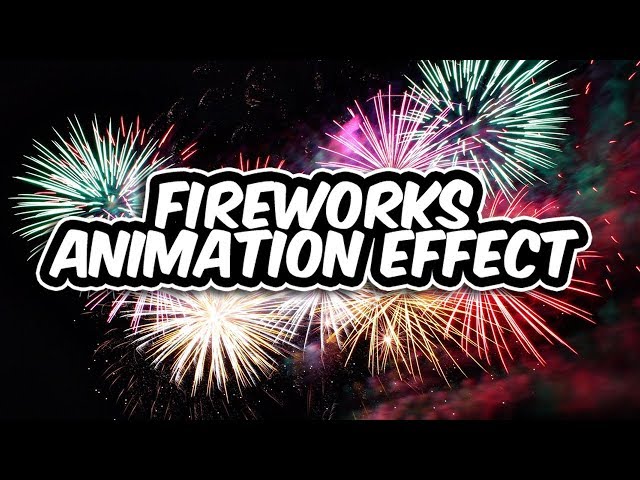
In this blog post, we’ll walk through how to create a stunning fireworks animation effect on your webpage using jQuery and the Fireworks.js library. This effect is perfect for celebrating special occasions like New Year’s, birthdays, or any other event that calls for some visual excitement.
Let’s dive into the code and see how easy it is to implement this fireworks animation!
Tutorial
1. Setting Up the HTML Structure
We start by setting up a simple HTML structure. This will contain a header displaying a message, and we’ll use Fireworks.js to add the fireworks effect to this area.
<!DOCTYPE html>
<html lang=”en”>
<head>
<meta charset=”UTF-8″>
<meta name=”viewport” content=”width=device-width, initial-scale=1.0″>
<meta http-equiv=”X-UA-Compatible” content=”ie=edge”>
<title>Fireworks</title>
<style>
html, body {
margin: 0;
padding: 0;
}
.demo {
background: #000000;
width: 100%;
height: 100vh;
display: flex;
align-items: center;
justify-content: center;
}
.demo h1 {
font-size: 120px;
color: #fff;
text-align: center;
}
</style>
</head>
<body>
<div class=”demo”>
<h1>Happy New Year <br> 2020</h1>
</div>
</body>
</html>
Here’s what’s happening in this HTML:
We’re using a full-screen height (100vh) container .demo to hold our fireworks animation.
Inside this container, there’s a <h1> element that will display the “Happy New Year” message.
We set the background of the .demo container to black to create the perfect contrast for the fireworks.
2. Including jQuery and Fireworks.js
Next, we’ll include the necessary libraries — jQuery and Fireworks.js. Fireworks.js is a lightweight jQuery plugin that makes it incredibly easy to add fireworks effects to your web pages.
<script src=”jquery-3.4.1.min.js”></script>
<script src=”jquery.fireworks.js”></script>
Make sure you download or link to these libraries from a CDN. The jQuery library is required for compatibility, and the jquery.fireworks.js library will trigger the fireworks effect.
3. Initializing the Fireworks Animation
Now, let’s add the JavaScript to trigger the fireworks animation. This script will target the .demo class, which contains the message, and apply the fireworks effect to it.
<script>
$(“.demo”).fireworks({
opacity: 0.4,
sound: false
});
</script>
This script performs the following:
We use the $(“.demo”).fireworks() function to apply the fireworks effect to our .demo container.
We customize the fireworks effect by passing two options:
- opacity: 0.4: This adjusts the transparency of the fireworks, so they appear a bit more subtle.
- sound: false: This disables any sound that might accompany the fireworks. You can set it to true if you want to add sound effects for a more immersive experience.
Full Code Example
Here’s the full source code you can copy and paste into your project:
<!DOCTYPE html>
<html lang=”en”>
<head>
<meta charset=”UTF-8″>
<meta name=”viewport” content=”width=device-width, initial-scale=1.0″>
<meta http-equiv=”X-UA-Compatible” content=”ie=edge”>
<title>Fireworks</title>
<style>
html,
body {
margin: 0;
padding: 0;
}
.demo {
background: #000000;
width: 100%;
height: 100vh;
display: flex;
align-items: center;
justify-content: center;
}
.demo h1 {
font-size: 120px;
color: #fff;
text-align: center;
}
</style>
</head>
<body>
<div class=”demo”>
<h1>Happy New year <br> 2020</h1>
</div>
<script src=”jquery-3.4.1.min.js”></script>
<script src=”jquery.fireworks.js”></script>
<script>
$(“.demo”).fireworks({
opacity: 0.4,
sound: false
})
</script>
</body>
</html>
4. Customization Options
You can easily customize this fireworks effect to suit your needs. Here are some ways to enhance your animation:
- Change the background color: Modify the .demo class background to any color or image of your choice.
- Adjust the opacity: Modify the opacity value to make the fireworks more or less intense.
- Enable sounds: Set the sound option to true to include firework sound effects. You can also customize the sound by modifying the plugin’s settings.
- Add more content: You can add images, buttons, or other text to the .demo container to make the animation more engaging.
Github Repo: Source code
Conclusion
With just a few lines of code, you can bring exciting fireworks animations to your website. Whether you’re celebrating a holiday, a special event, or simply want to make your site more dynamic, Fireworks.js is an easy-to-use tool that makes your celebration shine. Happy coding, and may your web projects be filled with fireworks
account_box Author: KTim
date_range Date: 11th, March 2026
access_time Time: 9:06 am
remove_red_eye Views: 15 Views